
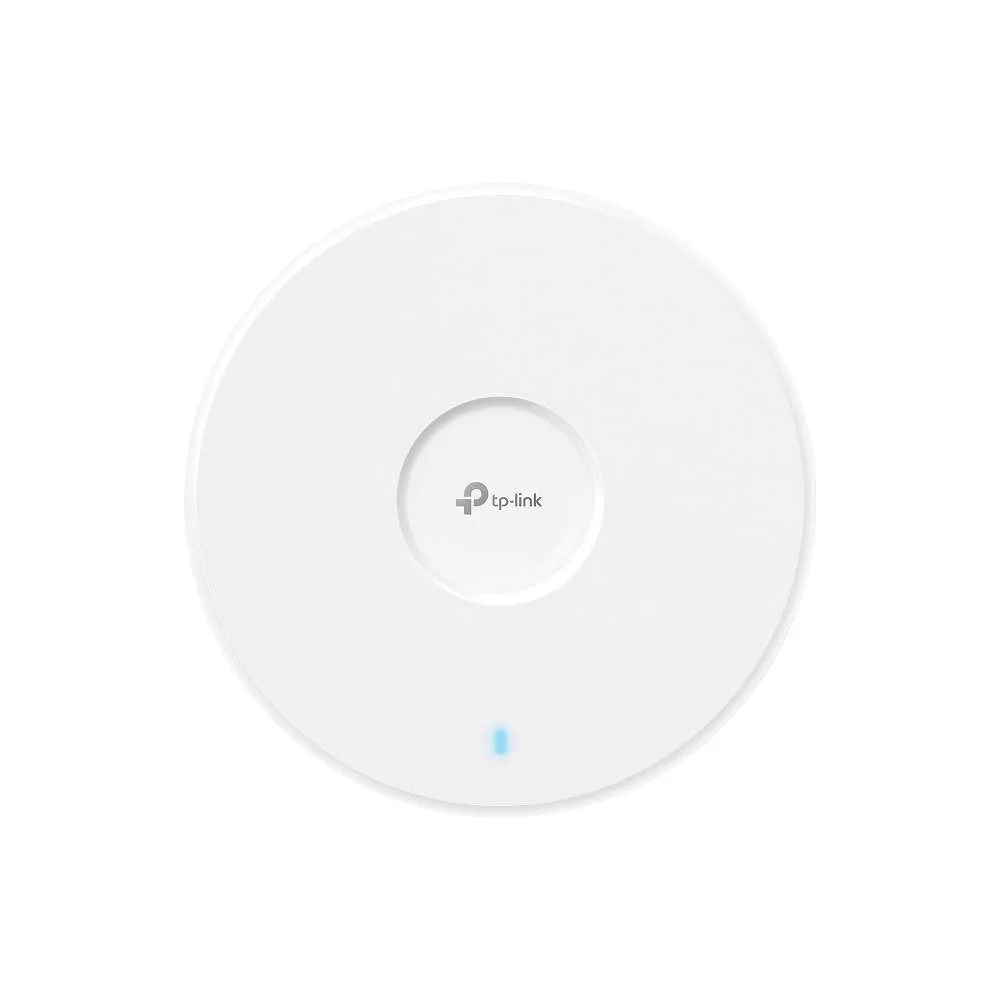
TP-Link BE3600 Ceiling Mount Tri-Band Wi-Fi 7 Access Point – TL-EAP723

KSh18,000.00
- Wi-Fi 7 ceiling mount access point with BE3600 speeds
- 2.5 Gigabit Ethernet port for maximum throughput
- Dual-band operation with 688 Mbps + 2,882 Mbps
- Supports 250+ concurrent clients in high-density environments
- Professional ceiling/wall mount design
- Omada SDN integration for centralized management
- Advanced Wi-Fi 7 features, including 160 MHz bandwidth
- Enterprise security with WPA3 and captive portal
- PoE+ powered for easy installation
- Ideal for business, education, and commercial deployment
TP-Link BE3600 Ceiling Mount Tri-Band Wi-Fi 7 Access Point (TL-EAP723)
By 2025, Wi-Fi 7 (802.11be) is a must-have for businesses, schools, hotels, hospitals, big homes, and warehouses. They all need super-fast speeds, solid stability, and the power to handle tons of devices at once. The TP-Link BE3600 Tri-Band Wi-Fi 7 Ceiling Mount Access Point TL-EAP723 is a great pick for the price and performance. And guess what? It’s available now at our store, and they ship all over the country.
Why is the TP-Link TL-EAP723 a Big Deal?
The TL-EAP723 is part of TP-Link’s new Omada Pro series and it’s a BE3600 performer:
- 688 Mbps on 2.4 GHz
- 866 Mbps on 5 GHz
- 2402 Mbps on 6 GHz (160 MHz channels)
- Total speed: 3.6 Gbps
Here’s why this access point is ready for the future:
1. Super-Wide Channels (6 GHz band)
Wi-Fi 7 goes big, doubling the channel width from 160 MHz (Wi-Fi 6E) to 320 MHz. The TL-EAP723 rocks 320 MHz channels on the 6 GHz band, almost doubling the speed of Wi-Fi 6E.
2. Multi-Link Operation (MLO)
Wi-Fi 7 devices (like the newest iPhones, Galaxy phones, and Intel cards) can use 2.4 + 5 + 6 GHz at the same time. This means:
- Way less lag
- It stays steady when one band is busy
- Switching between bands is quicker
3. 4K-QAM
Packs more data into transmissions, boosting how well it works by 25% compared to Wi-Fi 6.
4. Puncturing & MU-MIMO/OFDMA
Even when there’s interference, the EAP723 finds the clearest spots to keep speeds high.
the Specs
Feature Specification
Wi-Fi – Wi-Fi 7 (802.11be) Tri-Band
Speed – BE3600 (688 + 866 + 2402 Mbps)
6 GHz – Yes, up to 2402 Mbps (320 MHz channels)
Antennas – 4× internal (2.4/5/6 GHz)
Spatial Streams – 2×2:2 MU-MIMO
Ethernet Port – 1× 2.5 Gbps PoE+ (802.3at)
Power Use – Max 16.9 W
Mounting – Ceiling / Wall (kit included)
Control – Omada SDN Controller, Cloud, App
Seamless Roaming – 802.11k/v/r, Fast BSS Transition
Guest Network – Yes + Facebook / Voucher / SMS support
Mesh – Yes (with other Omada EAPs)
A 2.5 Gbps PoE+ port is key. A lot of older Wi-Fi access points have 1 Gbps ports, which can slow down Wi-Fi 7. With the TL-EAP723, you can hit those faster wireless speeds without a total switch upgrade (just make sure the connection to the switch is 2.5G or better).
Setup
TP-Link’s Omada platform is easy to use, and it’s free.
Options:
- Omada Software (Windows/Linux)
- Hardware Controller
- Omada Cloud
- Omada App
Setting up a new EAP723 took less than 90 seconds.
- Authorized TP-Link seller
- Warranty
- Fast shipping
- Support
- Easy returns
- Bundle
- Payment choices
Be the first to review “TP-Link BE3600 Ceiling Mount Tri-Band Wi-Fi 7 Access Point – TL-EAP723”
Related products
-7%
Business Solutions
Original price was: KSh14,000.00.KSh12,999.00Current price is: KSh12,999.00.




Reviews
There are no reviews yet.