

TP-Link AC1200 Wireless Dual Band Router – TL-ARCHER C50


KSh4,200.00
- Supports 802.11ac standard
- Simultaneous 2.4GHz 300 Mbps and 5GHz 867 Mbps connections for 1200 Mbps of total available bandwidth
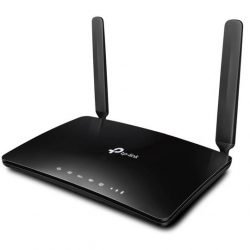
- 4 external antennas provide stable wireless connections and optimal coverage
- Easy network management at your fingertips with TP-Link Tether
- Supports IGMP Proxy/Snooping, Bridge and Tag VLAN to optimize IPTV streaming
- Supports Access Point mode to create a new Wi-Fi access point
TP-Link Archer C50 AC1200 Wireless Dual Band Router
Need a Wi-Fi router that’s quick, dependable, and won’t break the bank? One that can handle all your gadgets without slowing down? The TP-Link Archer C50 AC1200 Dual Band Wireless Router is a popular choice
Whether you’re watching 4K videos, playing games like PUBG Mobile or Free Fire, using Zoom, or just browsing and working – the Archer C50 gives you smooth, fast Wi-Fi everywhere at home.
Why use TP-Link Archer C50
- Speeds up to 200 Mbps (300 Mbps on 2.4GHz + 867 Mbps on 5GHz)
- Dual Band – Picks the best band for each device.
- 4 antennas – better coverage, even through walls.
- Works with 20+ devices at the same time.
- Great for apartments, duplexes, and small offices.
- Setup is easy with the TP-Link Tether app(iOS & Android).
- Guest network, parental controls, and QoS for managing bandwidth.
- MU-MIMO tech – faster speeds when lots of devices are using Wi-Fi.
Seriously Fast AC1200 Dual Band Wi-Fi
The Archer C50 is an AC1200 router. This means it uses the newer 802.11ac Wi-Fi, which is 3 times faster than older routers.
- 5GHz band (867 Mbps) – Great for streaming, gaming, and big downloads.
- 2.4GHz band (300 Mbps) – Good for browsing, email, and older devices.
It even chooses the best band for each device.
Good Coverage with 4 Antennas
Because it has four antennas, the Archer C50 gives you strong Wi-Fi all over your place.
Works with any Internet
It doesn’t matter if you use:
– BTCL
– Carnival
– Link3
– Amber IT
– ICC
– Dot Internet
– Triangle
– Banglalion
– Robi/Airtel 4G
…the Archer C50 will work perfectly. Plug in the cable from your modem, and you’re good to go.
MU-MIMO Tech
The Archer C50 has 2×2 MU-MIMO. This means it can talk to multiple devices at once, instead of one at a time. Even when everyone’s online, nobody will complain about slow Wi-Fi.
Sets Up in Minutes
Setting up routers can be annoying. But the TP-Link Tether app makes it really easy:
1. Get the TP-Link Tether app.
2. Plug in the router.
3. Scan the QR code.
4. Name your Wi-Fi and pick a password.
5. You’re done!
You can also use the app to block devices, set time limits for kids, and check who’s using the most data.
Useful Extras
- Parental Controls – Block websites and set screen time.
- Guest Network – Give visitors Wi-Fi without sharing your password.
- QoS (Quality of Service) – Give priority to games or streaming.
- IPv6 Support – Ready for newer internet stuff.
- Access Point Mode – Turns it into a Wi-Fi hotspot.
- WPS Button – Connect devices easily.
Specifications – TP-Link Archer C50 (V6 )
Feature Details
Model – Archer C50 (AC1200)
Wi-Fi – IEEE 802.11ac/n/a 5GHz, 802.11n/b/g 2.4GHz
Wi-Fi Speed – 5GHz: Up to 867Mbps, 2.4GHz: Up to 300Mbps
Antennas – 4
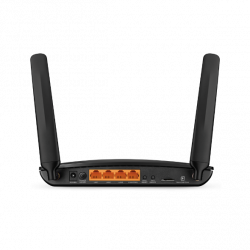
Ports – 4 LAN, 1 WAN
Processor – single-core CPU
MU-MIMO – Yes (2×2)
Beamforming -Yes
RAM – 64MB
Flash – 8MB
Security – WPA, WPA2, WPA3
Size – 229.9 × 144.2 × 36.9 mm
Be the first to review “TP-Link AC1200 Wireless Dual Band Router – TL-ARCHER C50”
Related products




Reviews
There are no reviews yet.